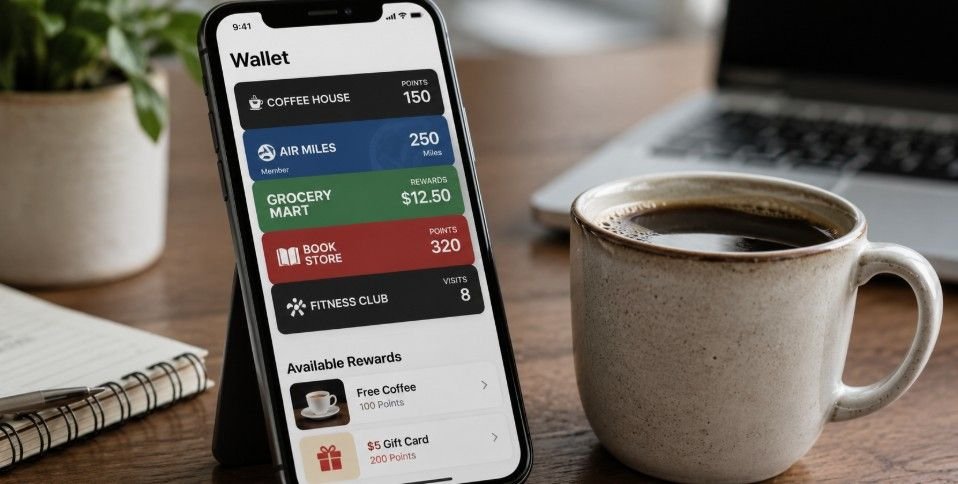
Keeping track of loyalty cards can feel like juggling wallets and apps, especially when managing loans or financial perks. Seeing rewards right alongside payment options makes customers more likely to engage.
Learning how to link loyalty programs to a digital wallet ensures points, referral bonuses, and cashback rewards are always visible at checkout, increasing usage and keeping your loan rewards top of mind.
Why Linking Loyalty Matters For Loans
Customers are more likely to use your loan rewards if they are easy to access. A digital wallet integration places loyalty points, reward tiers, and referral bonuses where payments happen. This removes extra steps like opening emails or apps and encourages repeated engagement.
Visible loyalty program rewards also increase retention, boost timely repayments, and create meaningful touchpoints that keep customers coming back.
Real Life Examples Of Digital Wallet Loyalty
Imagine a borrower earning points for each on-time payment. With a digital wallet, they see these points update instantly when a payment clears. Partner offers or referral bonuses appear right on their lock screen, turning routine payments into tangible incentives. Customers feel rewarded and more connected, making loyalty a seamless part of their financial habits.
Quick Tips To Boost Engagement
The most effective programs highlight points clearly and send push notifications when milestones are reached. Linking rewards to familiar wallets creates convenience and builds trust. Use visual cues such as logos, progress bars, or tier badges to motivate repeat actions. Keep the experience simple, and members are more likely to interact with your loans and promotions.
How To Get Started With Linking Loyalty Programs
Knowing how to link loyalty programs to a digital wallet starts with choosing the easiest path for your customers. Most people prefer a one-click method through the retailer’s official app. This keeps the process seamless and reduces friction while integrating rewards into Apple Wallet or Google Wallet.
Method 1: Using The Retailer’s Official App
Most major brands including those tied to loan perks offer simple, one-tap integration. Download the merchant’s mobile app and log into your loyalty account. Navigate to your account or digital card section, then look for the Add to Apple Wallet or Add to Google Wallet button.
Tap it, preview the card, and select Add to store the loyalty card in the digital wallet. This ensures real-time updates and automatic reward tracking.
Method 2: Adding Directly In The Wallet App
If there is no integration button, you can manually add loyalty cards using your wallet apps. On Google Wallet, tap Add to Wallet, select Loyalty & Gift Cards, search for the merchant, and follow the on-screen instructions to log in or scan your physical card.
For Apple Wallet, tap the + icon, look for cards found for you, or use third-party apps like Stocard to scan barcodes and generate wallet passes. Manual addition still guarantees real-time updates and easy accessibility for users.
Method 3: Via Email Or SMS
Many programs send digital pass links via welcome emails or SMS. Open the message on your smartphone and tap the download or Add to Wallet button. The link detects the operating system and installs the card into the native wallet app. This method works well for borrowers who are not ready to download apps but still want easy access to their rewards.
Designing Loyalty Cards That Actually Get Used
A wallet pass is more than just a static card. Visual clarity and actionable features matter. Include your brand logo, points balance, tier levels, and expiration dates to make cards engaging.
Highlight upcoming offers or referral bonuses, and use deep links so tapping the card redirects customers to loan dashboards, payment portals, or reward redemption pages. These small tweaks transform loyalty cards into powerful engagement tools.
Push Notifications And Engagement
Enable push notifications for new rewards or expiring points. Timely alerts make your loyalty program relevant at every loan milestone. Notifications combined with visual cues like tier badges keep users engaged and encourage repeated loan payments or referrals. Customers are more likely to interact with rewards that feel personal and actionable.
Balancing Apple And Google Wallet Features
Apple Wallet often emphasizes richer visuals and lock screen suggestions. Google Wallet offers flexible integrations and deeper links into your brand’s ecosystem. Understanding both platforms ensures maximum engagement. Customize your passes for each system to showcase points, reward tiers, or referral bonuses in ways that resonate with users’ daily wallet habits.
Maximizing Loyalty With Loan Rewards
Integrating loyalty programs into digital wallets turns ordinary loan interactions into meaningful experiences. Points for on-time repayments, referral bonuses, or milestone achievements encourage repeat engagement.
Visibility matters: when rewards live next to payment methods, borrowers are reminded of benefits without extra effort. This combination of convenience and tangible incentives strengthens retention and advocacy.
Creating Actionable Rewards
Focus on rewards that directly motivate repeat actions. Tiered points, cashback offers, and partner benefits create visible reasons for continued engagement. Digital wallets also allow you to highlight milestones like completed loan payments, upcoming offers, or referral bonuses, creating an ongoing loop of interaction.
Tracking And Optimizing Usage
Digital wallet integration allows backend tracking of loyalty interactions. Knowing which cards are actively used, which offers drive engagement, and when borrowers redeem rewards informs marketing strategy. Optimizing cards for visibility and engagement ensures your loyalty program remains effective and relevant.
Frequently Asked Questions
1. Can you add loyalty cards to your Wallet?
Yes. Most Apple Wallet and Google Wallet setups allow loyalty cards to be added. Cards appear alongside payments and update automatically when rewards or points change, making engagement seamless and visible for customers.
2. Can I store my loyalty cards on my iPhone?
Absolutely. Any loyalty card supported by Apple Wallet can be stored on an iPhone. Cards update in real-time, display points, and provide notifications for upcoming offers, ensuring customers never miss a reward opportunity.
3. How to create a digital loyalty card?
You can use platforms like PassKit or loyalty vendor tools to design a card. Include brand logos, reward balances, and QR codes or barcodes. Issue these passes via email, SMS, or app download so they can be added to Apple Wallet or Google Wallet for instant accessibility.
4. How do I manually add loyalty cards to Google Wallet?
Open Google Wallet, tap Add to Wallet, select Loyalty & Gift Cards, then search or scan your card. Enter your loyalty account information, and the card is stored digitally. Updates occur automatically when rewards or points are earned.
Fun Wrap-Up: Make Loyalty Unforgettable
Understanding how to link loyalty programs to a digital wallet is the key to turning ordinary loan interactions into lasting engagement. Accessible rewards, real-time updates, and push notifications ensure customers see tangible benefits for timely payments, referrals, and milestone achievements.
Embedding loyalty in the digital wallet keeps programs visible, actionable, and fun while boosting retention and repeat loan engagement in a competitive market.